
Reimagining the inbox
to think like you
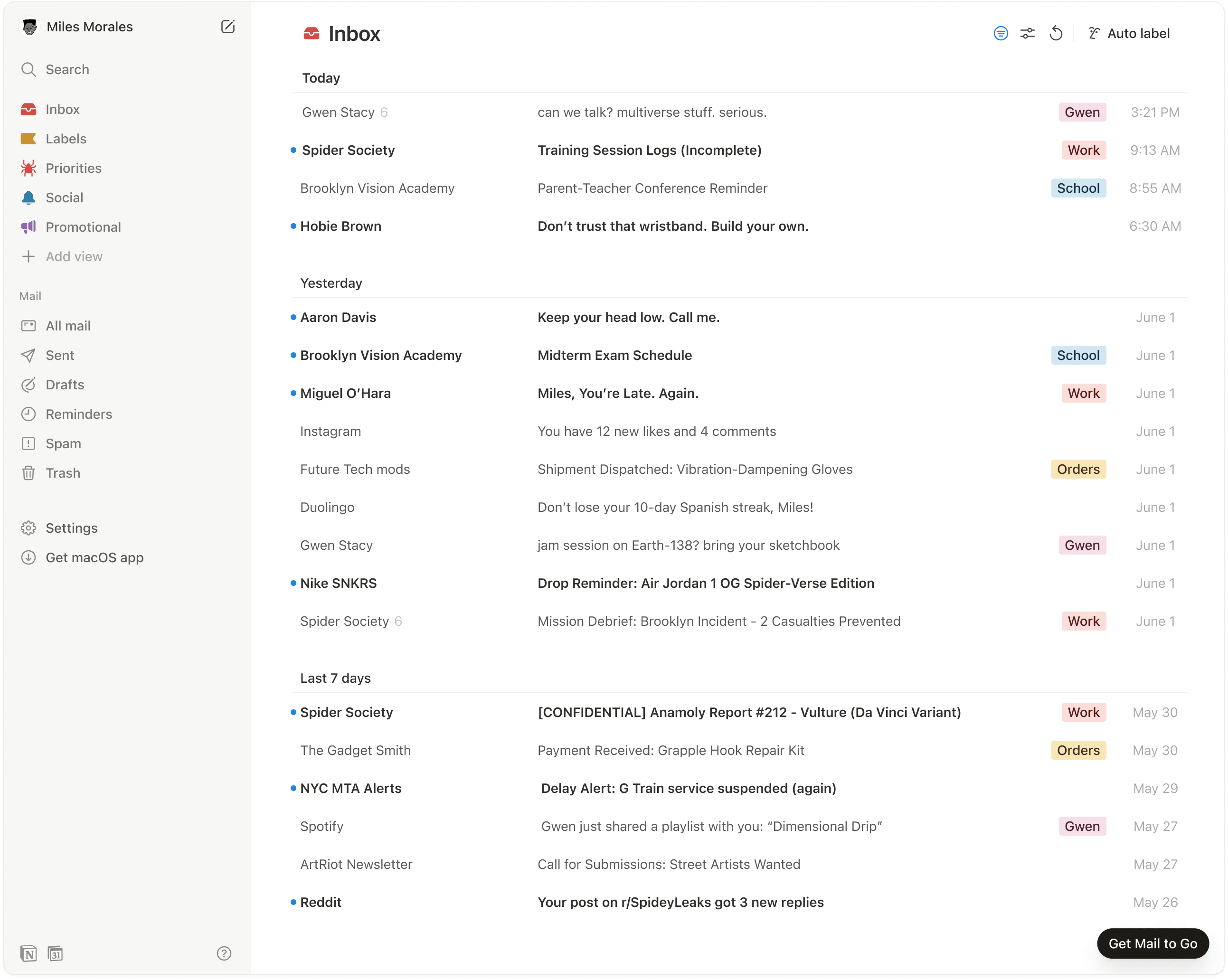
Notion Mail organizes itself with the power of AI and flexibility of Notion. The first inbox to be personalized for you.
On Mail, I worked as the only primary designer. I worked end-to-end on every screen, menu and detail. Launched to early beta in October 2024, and released to GA in April, 2025
Andrew Milich (Engineering Manager), Jason Ginsberg (Engineering / Design Manager), Gilbert Zhang (Product Manager)
Frontend Engineering: Sunny Li, Eli MacKinnon, Terry Tsai
Backend Engineering: Peter Lu, Arpeet Kale, Nishil Shah, Luke Lee, Ryan Kuang.
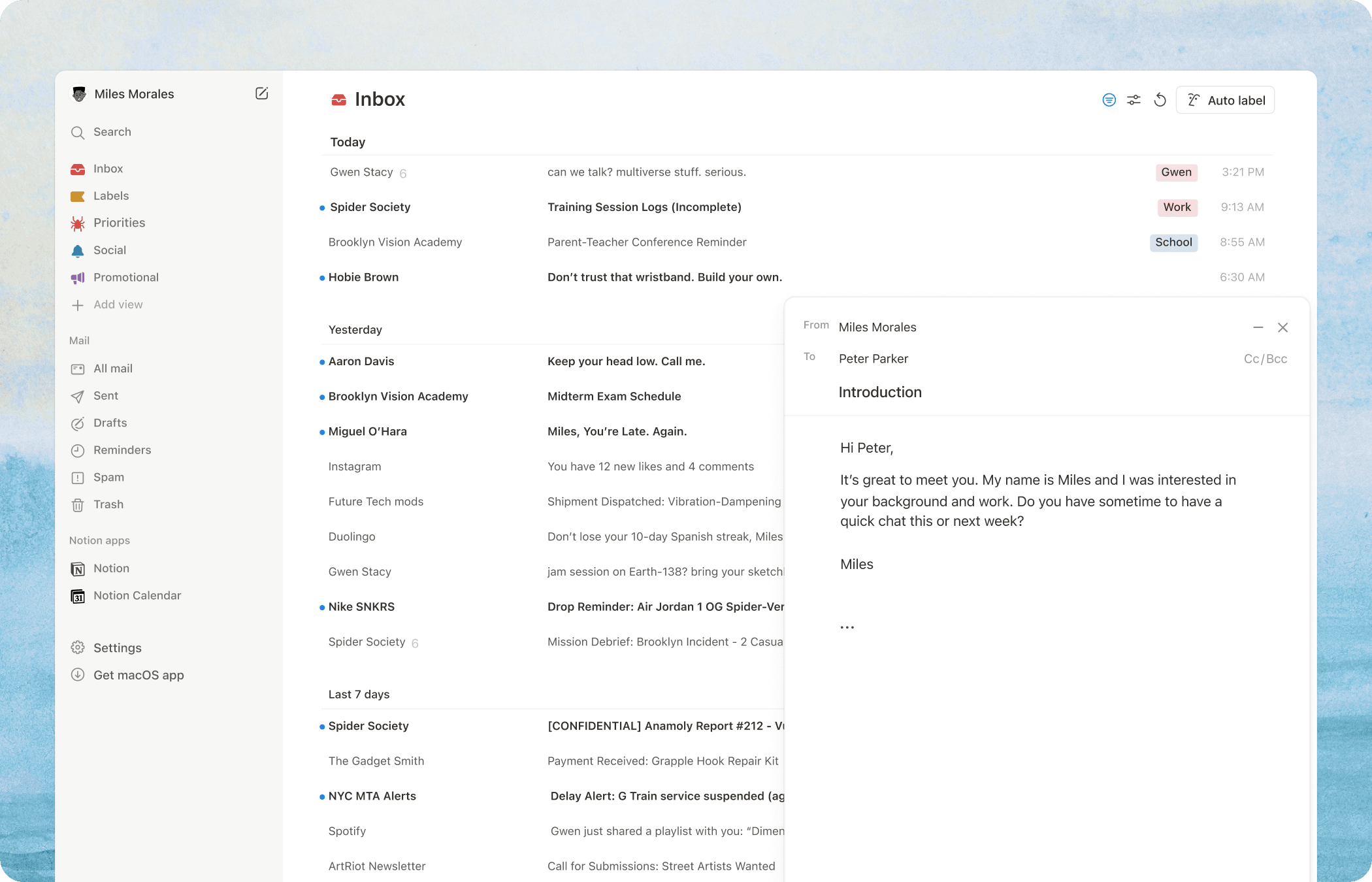
How do you elevate email?
No matter how many users we talked to, we never found two who used email the same way. Everyone had their own preferences and workflows. Some used labels, others just starred everything. Some achieved inbox zero, whilst others declared inbox bankruptcy.
How do you design for such variety? The answer: don't design the flows. Design the tools.
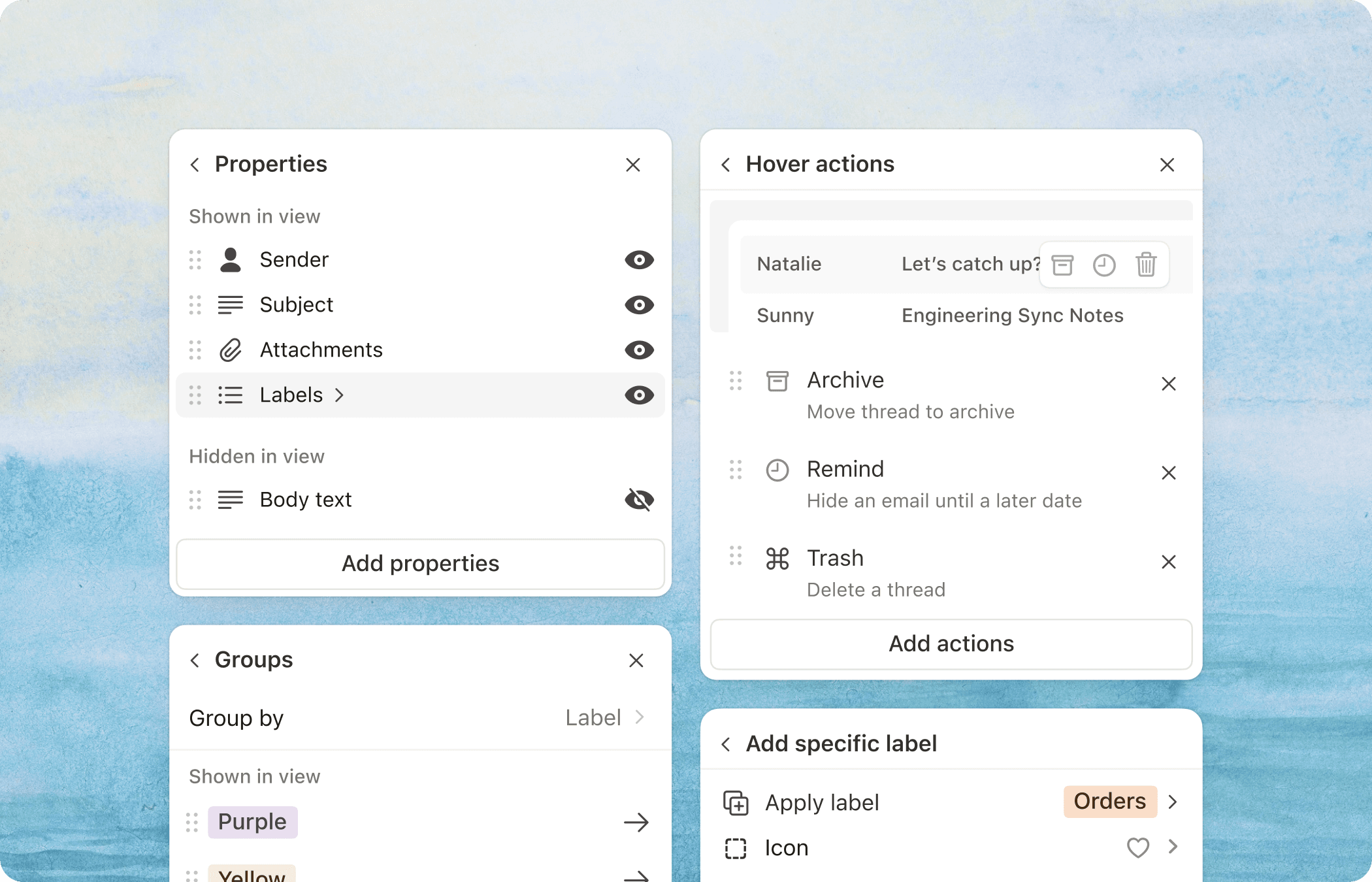
Just like Notion blocks, users can customize their inbox however they wish. They can hide subject lines, move labels to the right, add unlimited statuses and custom buttons, pin groups of emails at the top, or split emails into different views. These features combined unlock a truly personalized inbox—one that finally makes sense to each individual user.
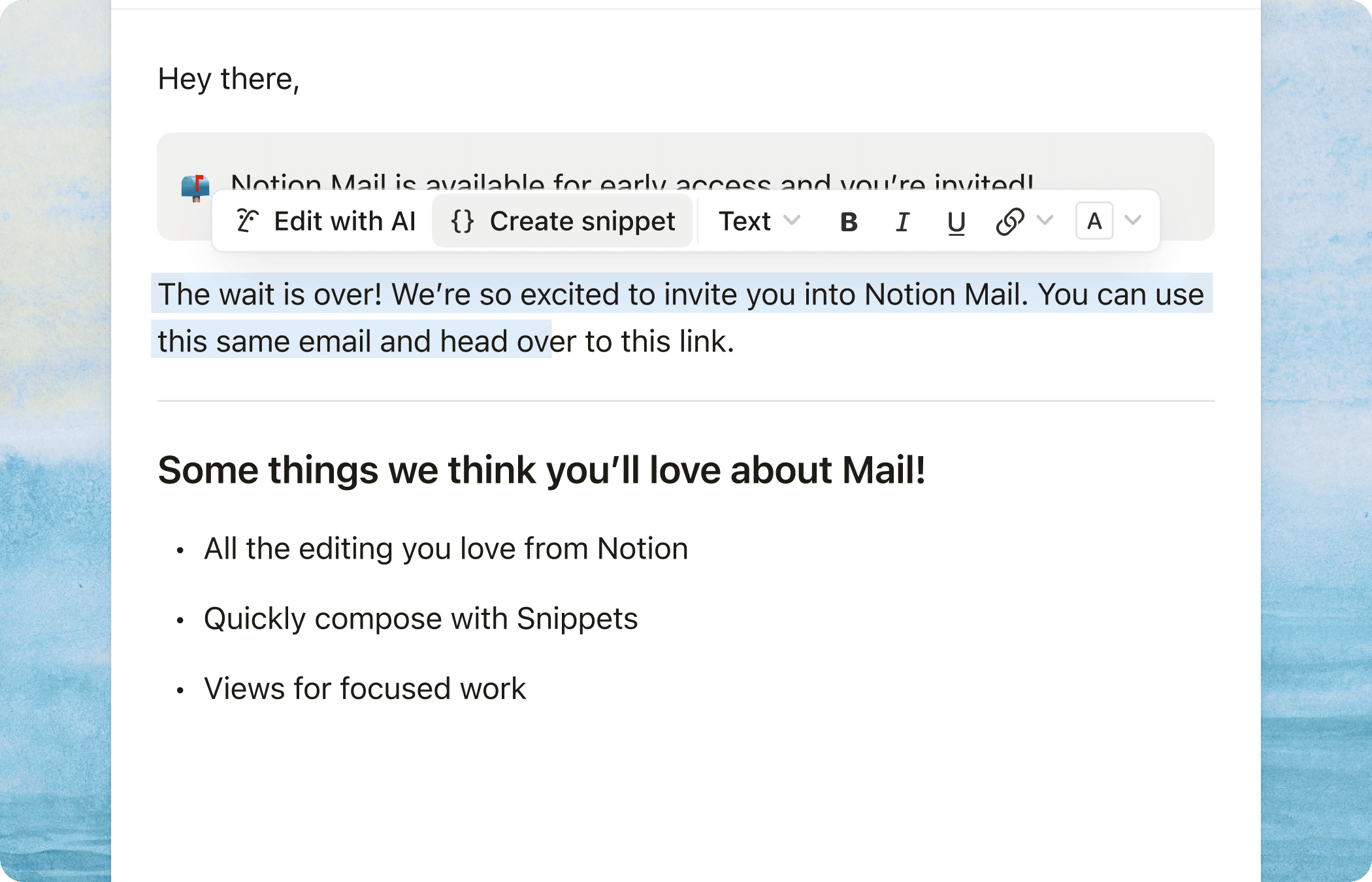
Never write the same email twice
If you're reading this you're probably a recruiter, or someone who has been through the job searching process. So you know what it's like having to send the same email with a few words changed every time to dozens of different people. Snippets allow you to save these email templates and quickly populate them with a custom slash command. It's like making your own personal Notion block!
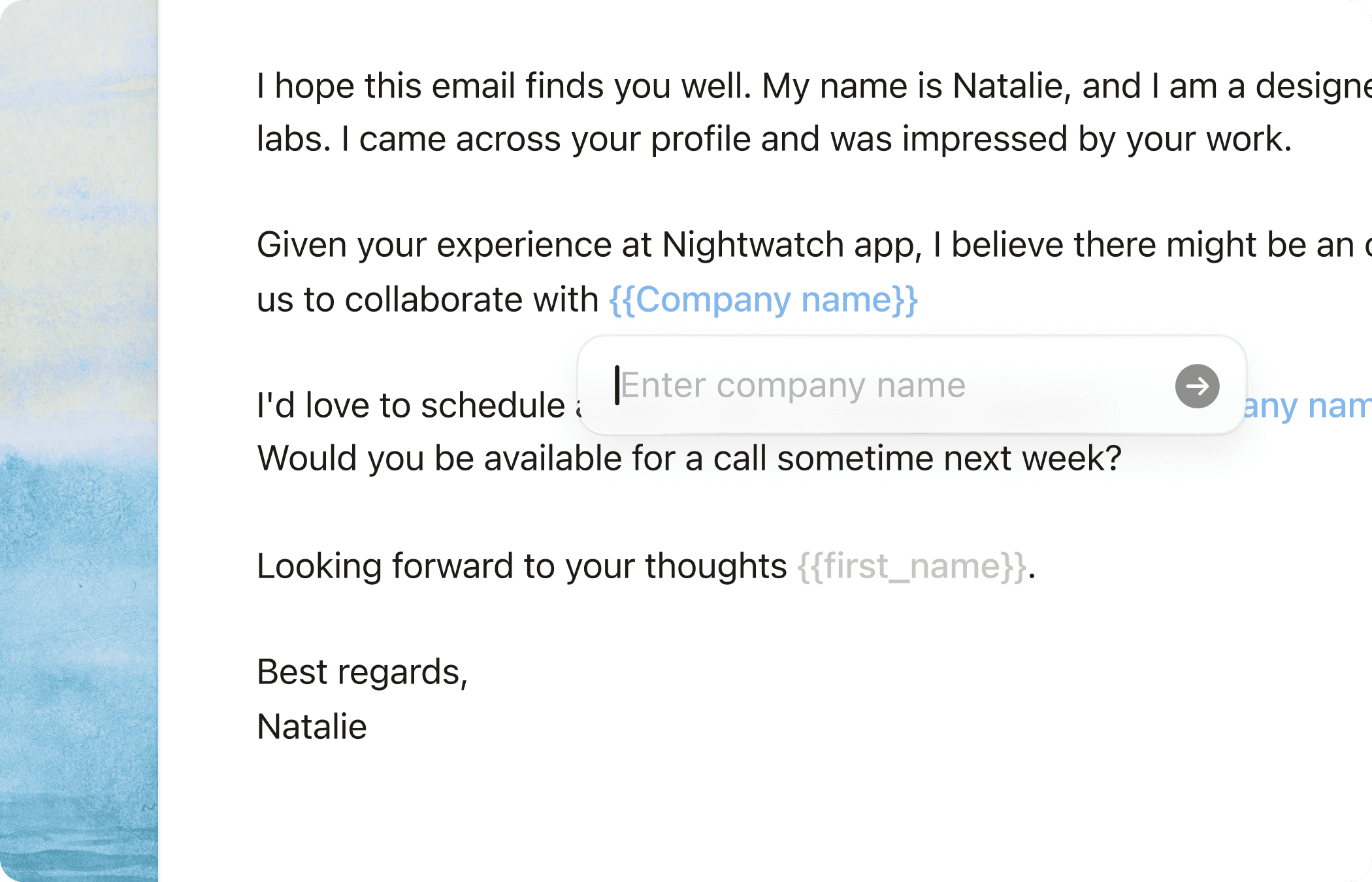
To make sure you don't forget to adjust your email for every recipient, you can set variables with curly braces {} that will either pre-populate (ex. Recipient's first name), or remind you to adjust.
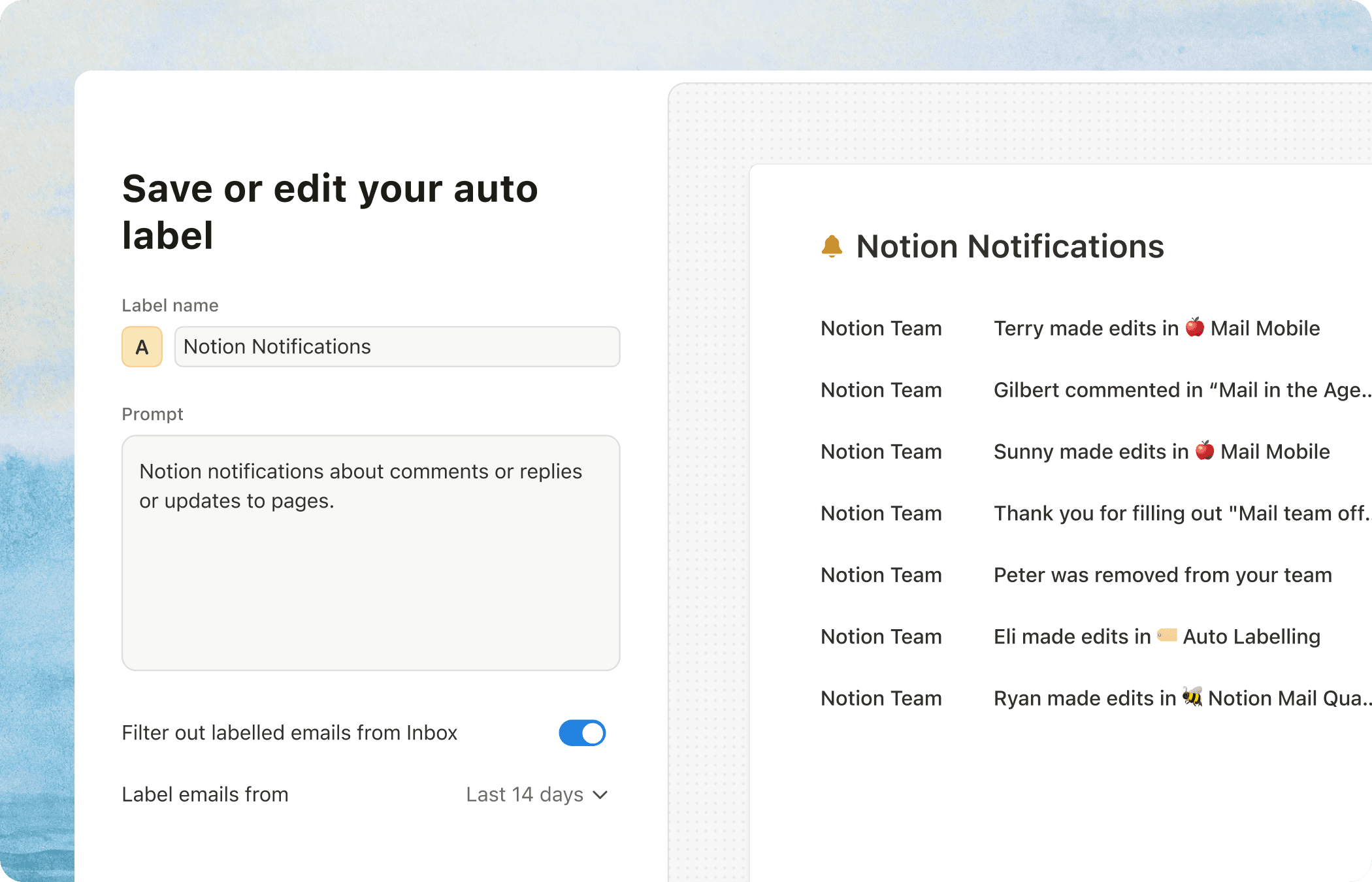
An AI-Powered Experience
We decided to inject AI into the most versatile email fundamental—labels. Labels can be a descriptor, a marker to categorize, a status or priority indicator. Auto labels in Notion Mail allows users to automatically apply labels to their incoming and past emails with just one short prompt.
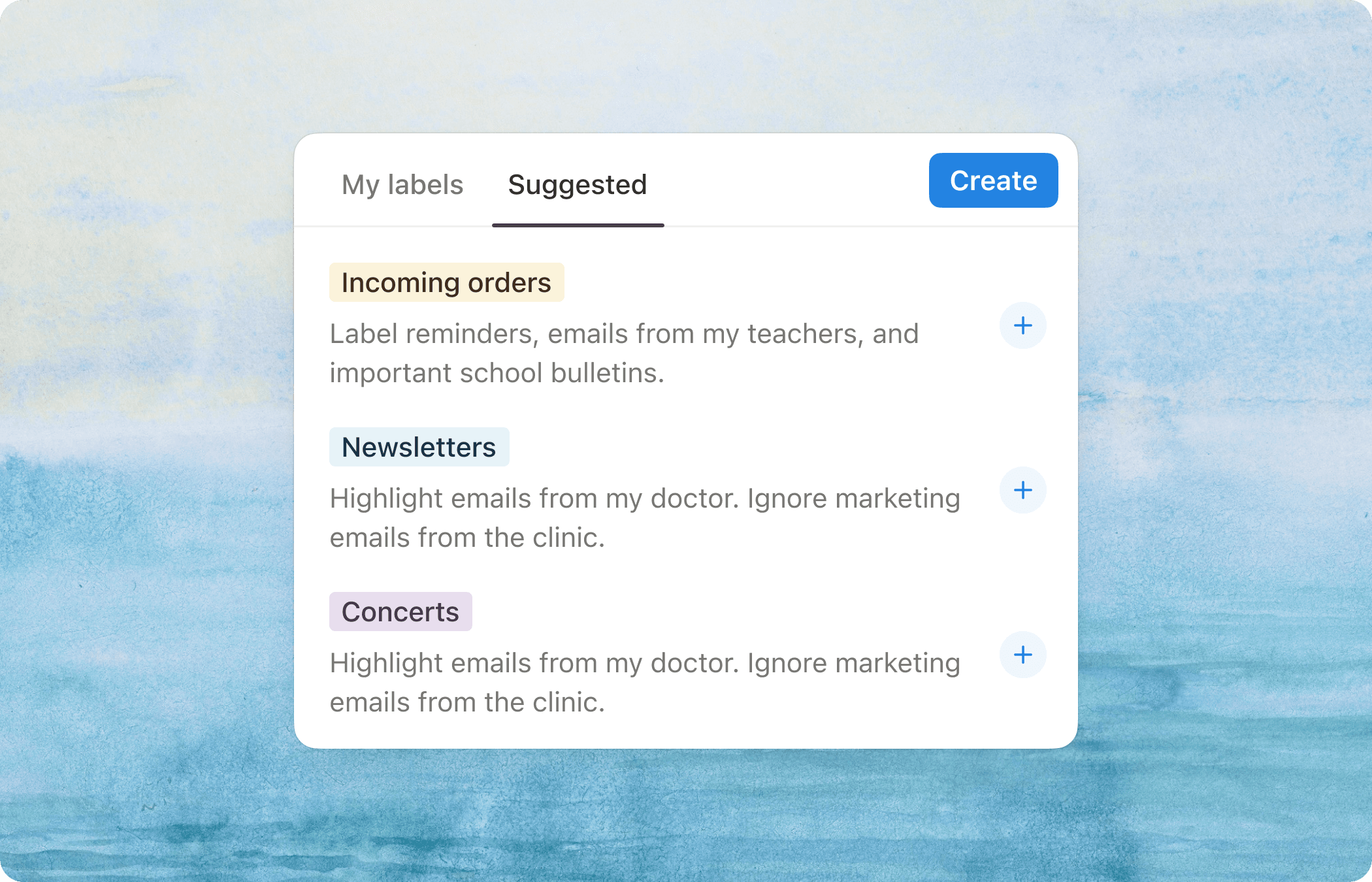
To show value immediately, we surface auto label suggestions to the user that is relevant to their specific use case. My current suggestions are a bunch of order notifications(´∇`'')